
When visiting a website, have you ever noticed that the website address begins with HTTPS and does the lock icon appear on the browser? That is one of the signs that the website is in use SSL.
So What is SSL? What does SSL do? Why should business websites use SSL? Let's find out with QWebDesign in the article below.
What is SSL?
SSL (Secure Sockets Layer) is a security technology used to encrypt data transmitted between a user's browser and a website server.
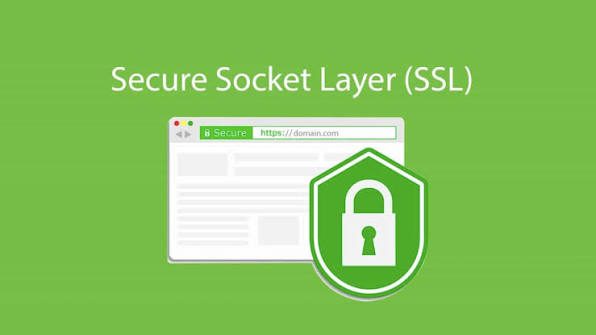
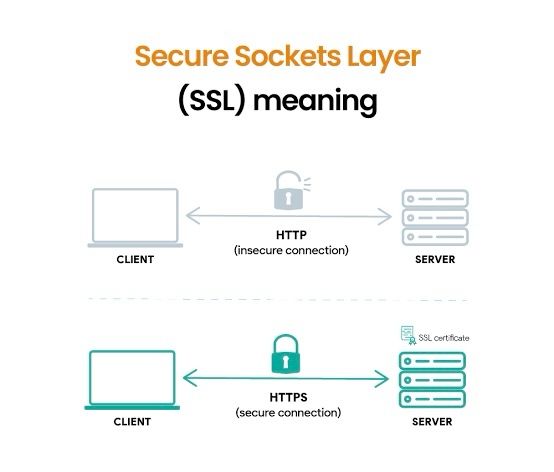
Simply put, SSL helps create a more secure connection when users access and send information to the website. When a website has an SSL certificate installed, the website address usually uses the protocol HTTPS instead of HTTP.
For example:
- No SSL: http://example.com
- With SSL: https://example.com
On browsers, websites using HTTPS are often displayed with a padlock icon.
How does SSL work?
When customers access the website, data is transmitted between browser and server. SSL uses encryption to protect data during transmission.
This is especially important for websites with activities such as:
- Log in to your account.
- Fill out the contact form.
- Register as a member.
- Submit personal information.
- Online payment.
SSL does not mean that a website is completely immune to all types of cyber attacks, but it is an important component in protecting the connection between users and websites.
3 reasons why your website should not lack SSL
1. SSL helps protect customer data
This is one of the most important reasons for websites to use SSL.
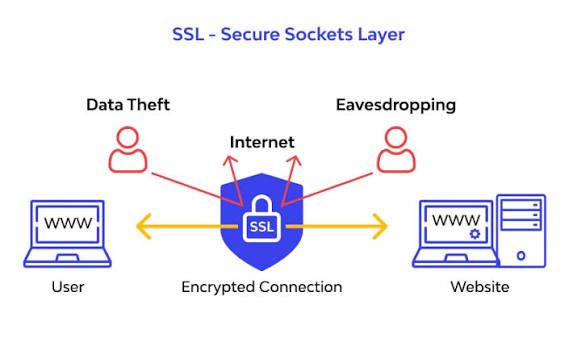
When customers enter information on the website, data needs to be transmitted from the browser to the server. SSL helps encrypts data during transmission, thereby reducing the risk of information being read or tampered with by third parties. For business websites, information that needs to be protected may include:
- Full name.
- Phone number.
- Email.
- Account information.
- Contact content.
- Payment information.
In particular, with sales websites or websites with login functions, connection protection is a factor that needs attention right from the moment of deployment.
2. SSL helps increase customer trust
Imagine you visit a website and your browser displays a warning “Not safe”. Do you continue to enter phone numbers or personal information on that website?
For customers, signs such as HTTPS and the padlock icon can help them identify that the website is using an encrypted connection. A professional website not only needs a beautiful interface but also needs to create a feeling of safety and trust during customer use.
Especially, when businesses use websites to collect customer information or conduct online transactions, security becomes even more important.
3. HTTPS supports SEO and user experience
SSL is also related to website SEO.
Google confirmed HTTPS is a ranking signal, although it is just one of many factors used to rank websites. Besides SEO, using HTTPS also helps websites avoid unnecessary security warnings on the browser. This contributes to creating a better experience for users when accessing the website. However, businesses need to note:
Having SSL does not mean your website will definitely be on top of Google.
SEO also depends on many other factors such as content quality, website structure, page loading speed, user experience, backlinks and many other signals.
Is SSL mandatory for all websites?
In current reality, HTTPS should be used for most websites, including business introduction website. Not only websites with online payments need SSL. Company introduction websites, service websites, blogs or landing pages can also use HTTPS to protect the connection and create a more reliable access experience.
Especially, if the website has:
- Contact form.
- Registration form.
- Login page.
- Online payment.
- Collect customer data.
, the more priority should be given to using HTTPS.
How is SSL different from Hosting and Server?
These are three concepts that are often confused when businesses start making websites.
| Ingredients | Role |
| Domain | Address for customers to access the website |
| Hosting/Server | Place to store data and operate the website |
| SSL | Secure connection and encrypt data transmission |
| Website | Interface, content and functions that customers use |
So, SSL is not a Server or Hosting. These are different components but play the same role in operating a website.
How to know if a website has SSL?
You can check very simply by looking at the address bar of your browser.
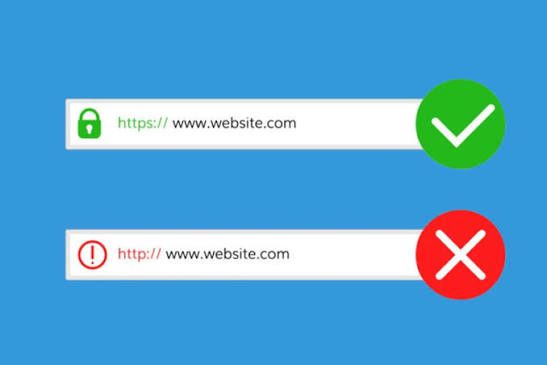
Websites using HTTPS usually look like:
Instead of:
http://name.com
The browser may also display a lock icon or connection security information. However, the padlock icon only indicates that an HTTPS connection is in use; it is not a certification that the entire website or the business behind the website is trustworthy.
QWebDesign – Professional website design for businesses
From the interface UI/UX, website structure to technical elements, a website needs to be built in accordance with the goals and actual needs of the business.
QWebDesign provides complete website design solutions, accompanying businesses from the process of ideation, design, development to putting the website into operation.
Are you preparing to build a website for your business? Contact QWebDesign for advice on solutions suitable to your needs and business goals.