
When starting to build a website – whether a personal blog, business website or e-commerce store – the first name you hear is definitely WordPress.
It's no exaggeration to say WordPress is "dominating" the online world. To date, this platform powers more than 40% of all websites globally. However, is it a "magic wand" suitable for everyone?
Let's put these on the scale outstanding advantages and fatal weakness of WordPress to see if this is really the ideal landing spot for your website!
1. What is WordPress?
Before going deeper, we need to clearly distinguish: This article is talking about WordPress.org (Self-hosted open source platform), where you have full control over your website, not a limited version WordPress.com.
To put it simply, WordPress is like a house frame with extremely solid rough parts already built. Your job is to paint, repair, buy furniture (interface, features) and move in.
2. Advantages of WordPress
Not naturally, from small bloggers to large corporations like The New York Times hay TechCrunch all chose WordPress. Here's why:
Extremely low starting costs (Even free)
The core of WordPress itself is completely free. You only need to buy a domain name and storage space to activate a professional website.
Huge Interface (Theme) and Features (Plugin).
- Theme: Do you want a website to sell clothes, real estate or news? There are tens of thousands of themes available (both free and paid) to help you change the look of your website in just a few clicks.
- Plugins: Want to add to cart? Add contact form? Add an expanded chat bar? A treasure trove of over 60,000 plugins will turn any of your feature ideas into reality without writing a single line of code.
Extremely SEO friendly (Get to the top of Google easily)
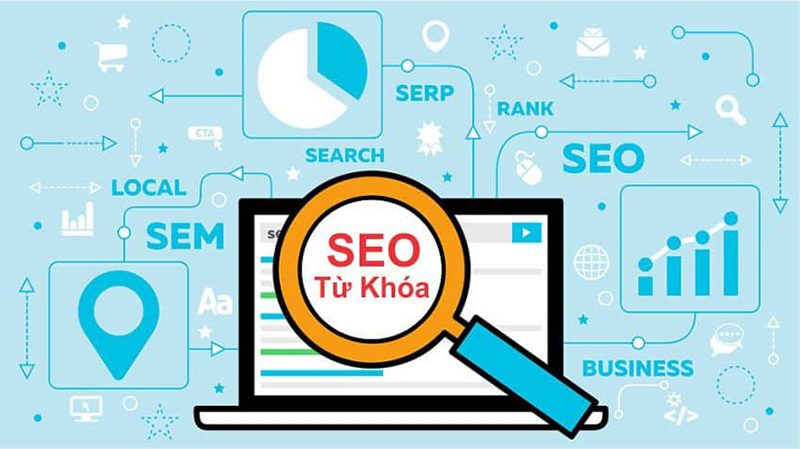
WordPress is considered the "darling" of search engines. Its source code is very well optimized so that Google bots can easily access and read data. Combined with divine SEO support plugins such as Rank Math hay Yoast SEO, putting keywords on the front page becomes much easier.
The world's largest support community
Because it's so popular, if you encounter any errors during use, just type into Google or Facebook groups, the answer will appear immediately. You will never have to "fix errors" alone.
3. Disadvantages of WordPress
Every pink color has some scratches. WordPress is very powerful, but it also has critical weaknesses that you must accept:
Easily caught by Hackers (Security)
Because it holds such a large market share, WordPress is the world's most delicious bait for hackers. If you are lazy to update the system, use weak passwords, or are cheap and use "pirated" (null) themes/plugins, your website can "crash" or get infected with malicious code at any time.
Website is easily slow
WordPress was initially very lightweight. But when you install too many plugins to add features, or use themes that are too heavy, your website will slow down. Optimizing WordPress for speed requires a bit of technical knowledge and sophistication.
Hidden costs arise
It may be very cheap at first, but when you want your website to be better, you will have to buy: Premium themes, paid plugins (Pro version), and upgrade to a more powerful hosting package to handle the traffic. The cost at this time is no longer "cheap" anymore.
Depends on updates (Updated continuously)
WordPress, themes and plugins are constantly updated to new versions to fix bugs. Sometimes, an old plugin conflicts with the new WordPress version, causing your web interface to break and display errors. You must regularly "take care" and maintain it.
Overview Comparison Table WordPress
| Criteria | Advantages | Disadvantages |
| Cost | Save at the start | Easy to incur hidden costs when upgrading |
| Use | No need to know code | Must find out and maintain yourself |
| Features | Unlimited thanks to Plugin warehouse | Installing many plugins slows down the website |
| Security | There are many protection tools | Easily hacked if not proactive in security |
4. Who Should and Shouldn't Use WordPress?
Choose WordPress if: You are an individual, a small and medium enterprise, an online shop owner who wants to own a fast, cost-effective website that can be managed and edited by yourself and wants to optimize the best SEO for sales/branding.
You should skip WordPress if: You are a large corporation that needs an extremely high security system (like a bank), or you want to make a web application with completely unique and unprecedentedly complex features. In that case, hiring a programmer to write code by hand from scratch (Custom CMS) will be a more suitable choice.
5. Qweb Design – Professional, Comprehensively Optimized WordPress Website Design Solution
Although WordPress possesses a huge arsenal of interfaces and features, turning it into a truly professional website with a fast page loading speed of less than 2 seconds and absolute security is not easy for outsiders. That's why you need a professional companion.
Qweb Design is proud to be a pioneer in the field website design on the WordPress platform, providing businesses with breakthrough solutions:
- Unique interface, standard UI/UX: Qweb Design does not abuse mass pre-built themes. We design a separate, personalized interface according to your brand identity, ensuring the smoothest user experience.
- Optimized Speed & "Extremely Lightweight": Say no to indiscriminately installing plugins. Technicians at Qweb Design optimize each line of code, compress images and configure a high-end caching system, helping the website achieve a green score on Google PageSpeed Insights.
- Multi-layer security: We set up firewall systems, automatic malware scanning and advanced security for WordPress, completely eliminating the fear of being attacked by hackers or inserting dirty links.
- 24/7 technical support: You don't have to try to fix errors yourself every time the system updates. Qweb Design is committed to accompanying, maintaining and quickly handling all technical problems so that your business operations are not interrupted.