
Handling WordPress Malware – Effective Website Security Solution
WordPress is the most popular website building platform in the world, but because of that popularity, WordPress often becomes a target for hackers. If your website has insert malicious code, redirect to strange websites, or be warned by Google, the website is most likely hacked.
Service handle WordPress malware helps scan the entire system, remove viruses, backdoors and restore the website to a safe state. At the same time, experts will strengthen security to avoid the website being attacked again.
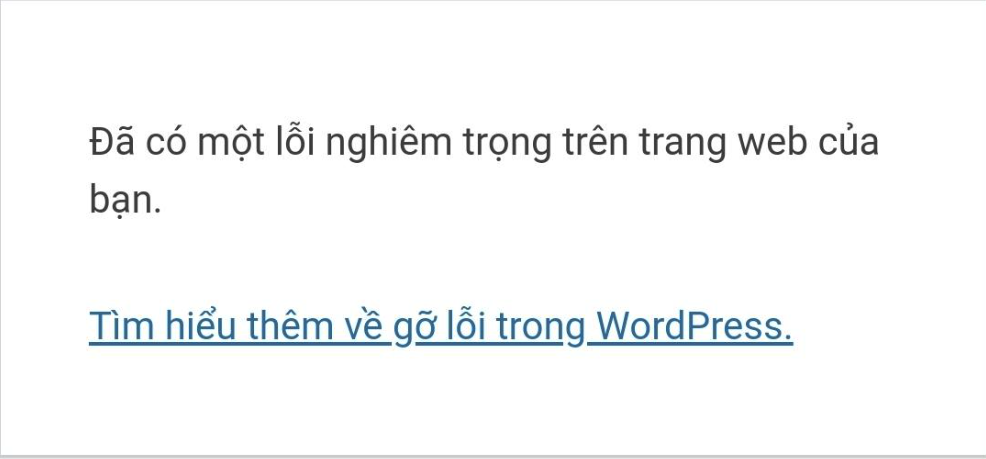
Signs Your WordPress Website is Infected with Malicious Code
Below are common signs when a WordPress website is attacked by hackers:
Website automatically redirects
When users access the website but are redirected to spam, betting or strange advertising pages.
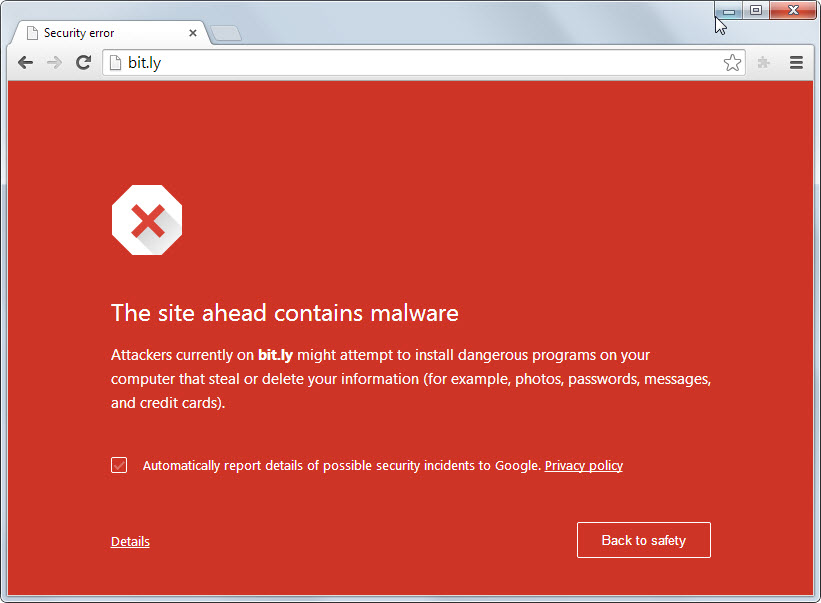
Google warns about dangerous websites
The following message may appear on the search results:
-
Websites can harm your device
-
This website contains malware
Website is unusually slow
The website loads slowly or the server uses unusually high CPU and RAM due to malicious code running in the background.
Strange files appear in hosting
Files may appear in hosting:
-
eval.php -
wp-login1.php -
cache.php - many strange plugins appear on the website
-
or files with encrypted code.
Website has spam links inserted
Many websites have hackers insert hundreds of hidden links to SEO other websites.
Reasons WordPress Website Is Infected With Malware
Some common reasons why websites are attacked:
Plugins and Themes nulled
Cracked plugins or themes often contain backdoors for hackers to access.
Not updating WordPress
Old WordPress versions may have security vulnerabilities.
Hosting has poor security
Poorly configured server can make it easy for hackers to attack.
Weak password
Use easy-to-guess passwords such as:
-
123456
-
admin123
-
password
WordPress Malware Handling Process
Malicious code handling services usually follow these steps:
1. Scan the entire website
Check the entire source code and database to detect:
-
backdoor
-
shell
-
malicious code
-
spam links
2. Delete malicious files
Completely remove malicious files inserted into the system by hackers.
3. Clean the database
Delete spam or malicious scripts in the database.
4. System update
Update:
-
WordPress
-
Plugins
-
Theme
to patch security holes.
5. Enhance security
Set up protection layers such as:
-
firewall
-
login protection
-
block brute force
-
periodically scan for malware
Benefits of Professional WordPress Malware Handling
Using malicious code processing services brings many benefits such as:
-
Restore website quickly
-
Completely remove viruses and backdoors
-
Prevent hackers from attacking again
-
Restore SEO rankings on Google
-
Increase website speed and stability
How to Prevent Your WordPress Website from Being Hacked
To avoid being infected with malicious code, you should:
-
Only use copyrighted plugins and themes
-
Update WordPress regularly
-
Use strong passwords
-
Backup website periodically
-
Install security plugins
Conclusion
A WordPress website infected with malware not only affects security but also reduces reputation and SEO rankings. So the handle WordPress malware promptly is very important to ensure the website operates stably and safely.
If your website is showing signs of being hacked, quickly check and remove malicious code to protect your data and customers.